Iframe Embed API
How to embed the KissKH player on your website using the iframe API
The Embed Endpoint
The server exposes a single embed endpoint:
GET /kisskh/{episode-id}
It returns a complete HTML page designed to be loaded inside an <iframe>. The page fetches the video URL and subtitles from KissKH, proxies all media through your server, decrypts any encrypted subtitle tracks, and presents a fully-featured player.
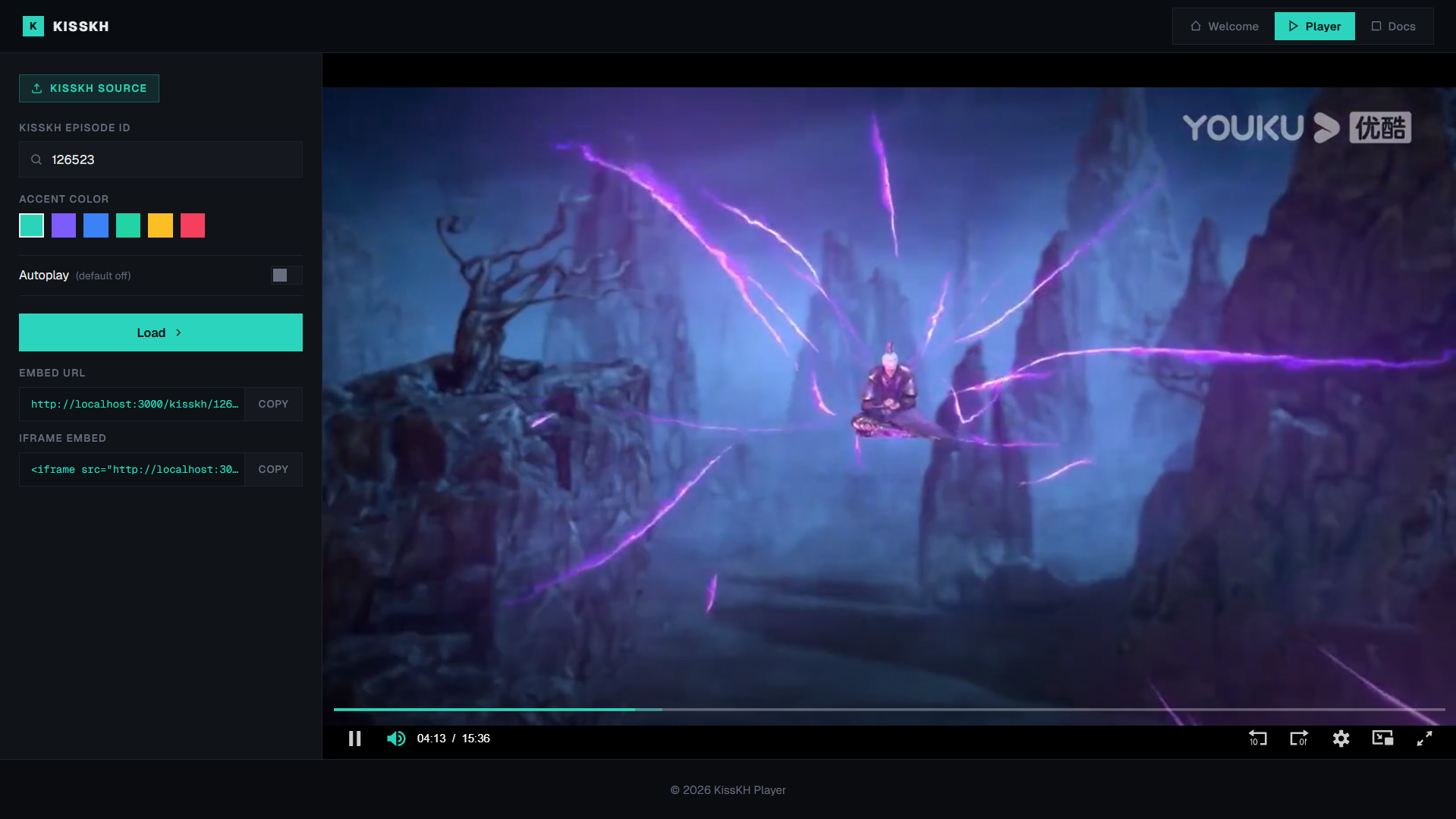 KissKH Player preview
Finding the Episode ID
The episode ID is the ep= parameter in a KissKH episode URL.
Example KissKH URL:
https://kisskh.co/Drama/Twinkling-Watermelon/Episode-1?id=7977&ep=136523&page=0&pageSize=100
The episode ID here is 136523.
Another example:
https://kisskh.co/Drama/Queen-of-Tears/Episode-1?id=11234&ep=210822&page=0&pageSize=100
Episode ID: 210822
Parameters
| Parameter | Description | Required |
|---|---|---|
episode-id | Numeric KissKH episode ID (the ep= value from the KissKH URL) | Required |
?color | Hex accent color for the player UI, URL-encoded (e.g. %23ff0000 for #ff0000) | Optional |
?autoplay | Set to true to auto-start playback | Optional |
Basic Embed
<iframe
  src="https://your-server.com/kisskh/136523"
  width="100%"
  height="500"
  frameborder="0"
  allowfullscreen
  allow="autoplay; fullscreen; picture-in-picture; encrypted-media"
></iframe>
With Accent Color and Autoplay
<iframe
  src="https://your-server.com/kisskh/136523?color=%232ad4b8&autoplay=true"
  width="100%"
  height="500"
  frameborder="0"
  allowfullscreen
  allow="autoplay; fullscreen; picture-in-picture; encrypted-media"
></iframe>
Responsive 16:9 Wrapper
<div style="position:relative; padding-bottom:56.25%; height:0; overflow:hidden;">
  <iframe
    src="https://your-server.com/kisskh/136523"
    style="position:absolute; top:0; left:0; width:100%; height:100%;"
    frameborder="0"
    allowfullscreen
    allow="autoplay; fullscreen; picture-in-picture; encrypted-media"
  ></iframe>
</div>
Direct Access Is Blocked
The player endpoint only works when loaded inside an <iframe>. If you open the URL directly in a browser address bar, you will see an "Embed Only" error page. This is intentional — it prevents viewers from extracting the proxied video URLs by viewing the page source.
The server uses Sec-Fetch-Dest and Sec-Fetch-Site headers (with a Referer fallback for older browsers) to detect and block non-iframe access.
Domain Restrictions
By default, any domain can embed the player. You can restrict this in two ways:
IFRAME_ALLOWED_ORIGINenv var — Set a comma-separated list of allowed origins at the server level. Unlisted domains will receive a 403 error.- Admin panel → Sites tab — Add domains with Blocked policy to block them individually, or enable Block all unlisted sites to only allow explicitly listed domains.
See the Admin Panel for details.