Adding News
How to create and manage news articles in HiAnime
News Post Type
HiAnime includes a dedicated News post type for publishing anime news articles — completely separate from anime entries and regular WordPress posts. News articles appear in the dedicated news section of the site.
Access it via News in the WordPress admin sidebar.
Adding a News Article
- Go to
News > Add New News - Enter the article title at the top
- Write the article content in the editor
- Set the featured image (used as the article thumbnail in listings)
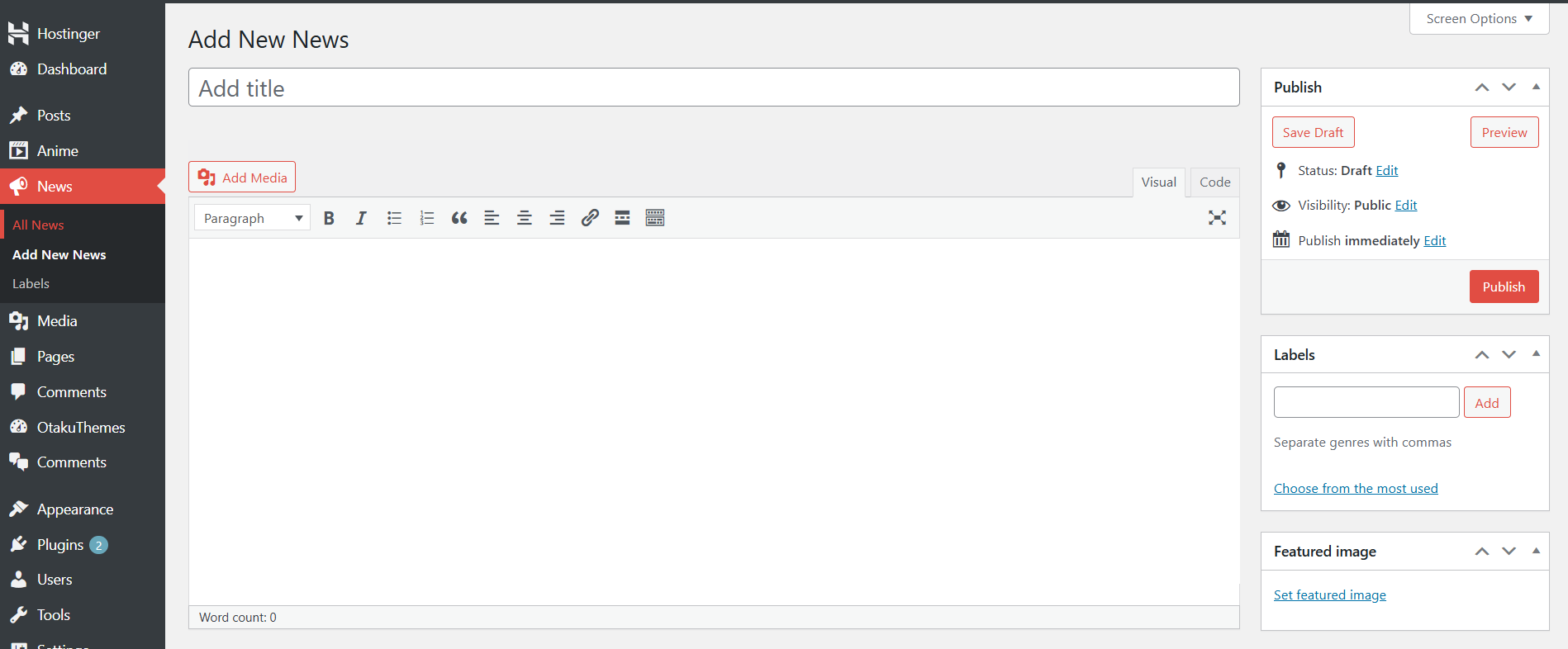 Add New News
News Meta Fields
Labels
Labels are comma-separated tags that categorise the news article. They appear as coloured badge chips on the article card and detail page.
Examples:
Announcement, Season 2, New Trailer
Release Date, Confirmed, 2025
Enter as many labels as relevant, separated by commas.
Other Fields
- Excerpt — A short summary shown in news listing previews. If left empty, WordPress generates one automatically from the content.
Publishing
- Fill in the title, content, labels, and featured image
- Click Publish
The article will appear in the news section of the site immediately.
Managing News
Go to News > All News to see all published and draft news articles. From this list you can edit, trash, or quick-edit articles.
Use the News post type for editorial content (announcements, trailers, reviews). Use the Anime post type for anime catalogue entries. Keeping them separate ensures they appear in the correct sections of the site.