Ads
Configure advertisement placements and ad code slots on your HiAnime site
Ads Tab
The Ads tab provides advertisement slot management for monetizing your site. Paste your ad code (e.g. Google AdSense, custom banner HTML) into the designated slots and control where ads appear.
Go to OtakuThemes > Ads to access these settings.
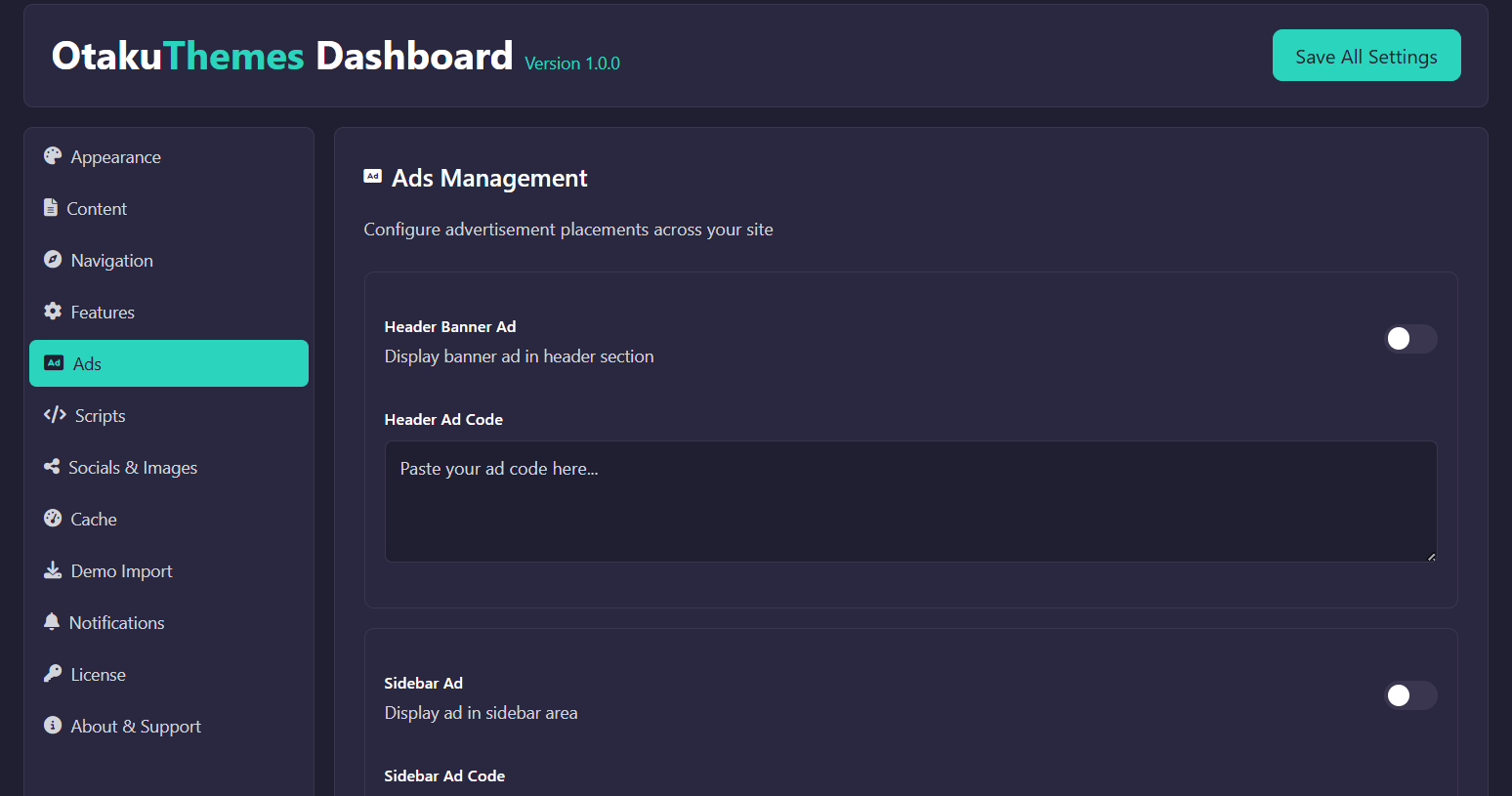 OtakuThemes Dashboard — Ads Tab
Ad Slots
HiAnime provides multiple ad placement slots at key positions across the site. Each slot accepts raw HTML/JavaScript ad code.
Common slot positions include:
- Header Ad — Banner shown near the top of the page (below the navigation)
- Before Content Ad — Ad shown before the main anime/episode content
- After Content Ad — Ad shown after the main content area
- Sidebar Ad — Ad in the sidebar widget area
- Player Ad — Ad shown near the video player
How to Add Ad Code
- Go to
OtakuThemes > Ads - Find the slot where you want to display an ad
- Paste your ad code (HTML/JavaScript) into the text area for that slot
- Click Save
If using Google AdSense, paste the full <script> ad unit code into the appropriate slot. Make sure your site has been approved by AdSense before placing the code.
Visitors using browser ad blockers will not see ads regardless of your settings. This is expected behaviour.
Disabling Ads
To remove ads from a specific slot, simply clear the ad code from that slot's text area and click Save. Leaving a slot empty disables the ad for that position.