License
Activate and manage your HiAnime theme license
License Tab
The License tab shows your current license status and allows you to activate or deactivate the theme license. An active license is required for the theme to function correctly.
Go to OtakuThemes > License to access this tab.
License Status
Inactive License
If your license has not been activated yet, the tab will show an activation input.
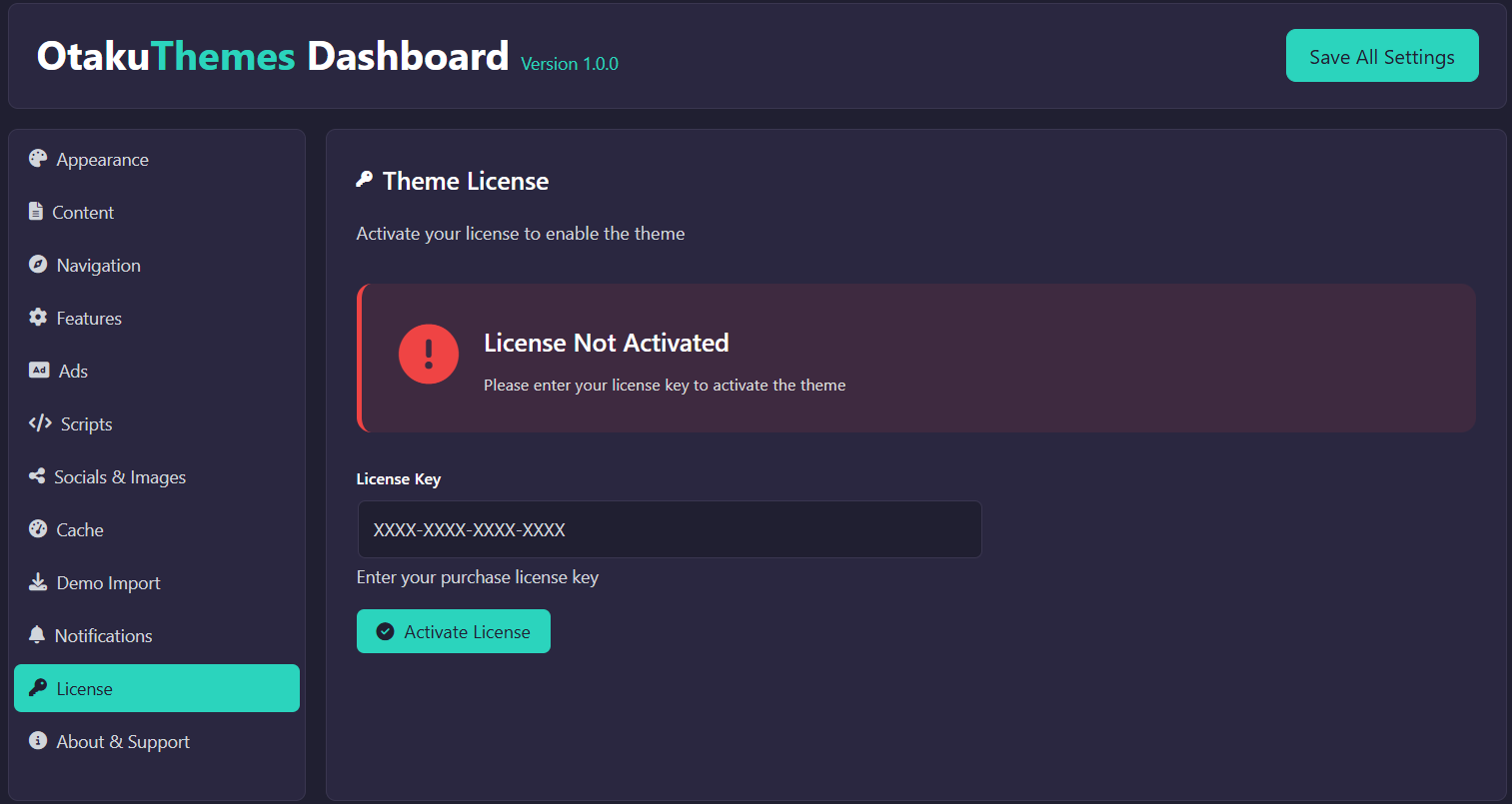 License — Inactive
Active License
Once activated, the tab confirms the license is active and shows your domain and activation details.
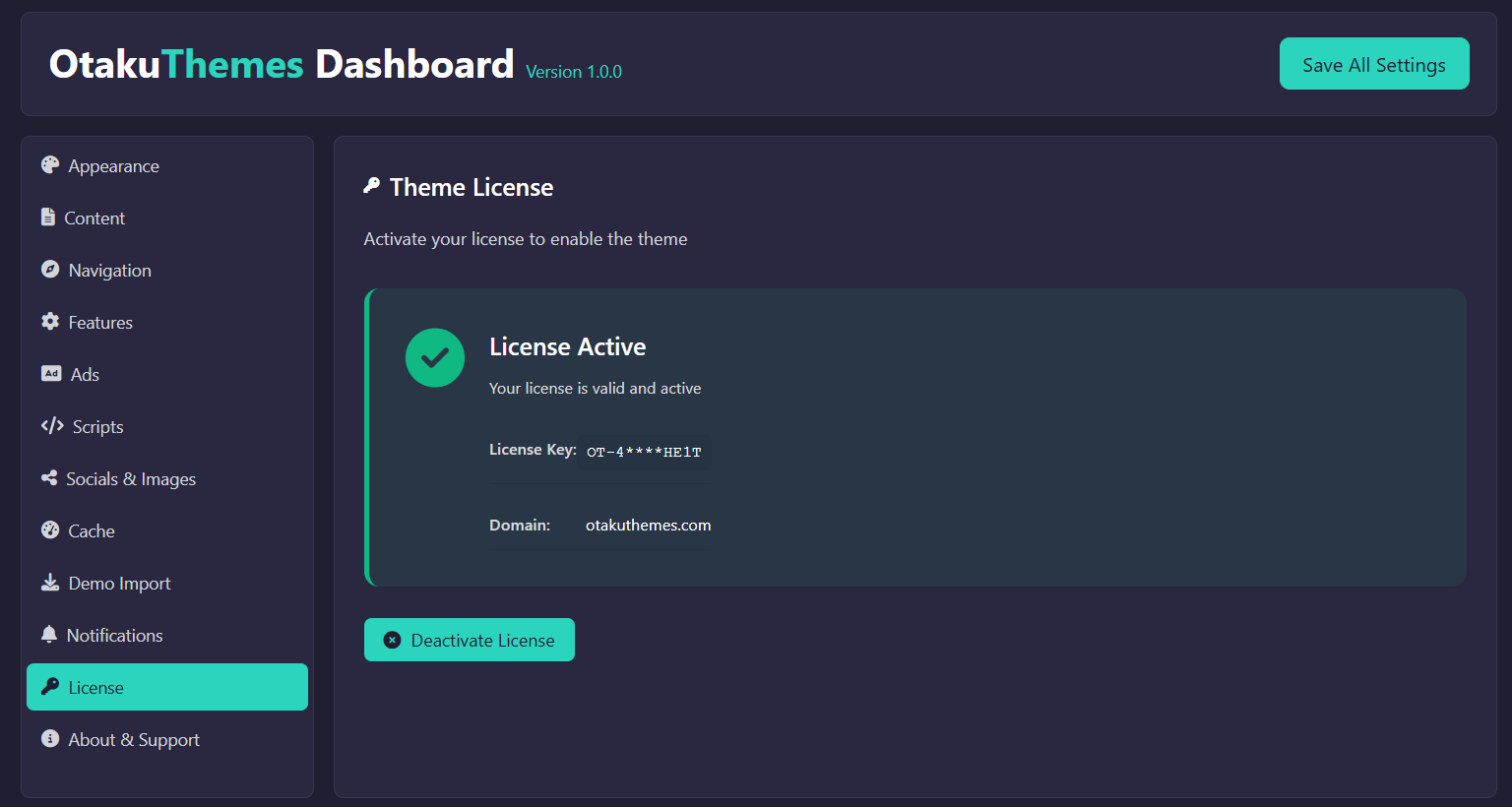 License — Active
Activating Your License
There are two ways to activate your license:
Method 1 — Via Member Area (Recommended)
This method registers your domain from the OtakuThemes website before WordPress makes the license check.
- Log in to the OtakuThemes Member Area
- Click the Licenses tab
- Find your HiAnime license
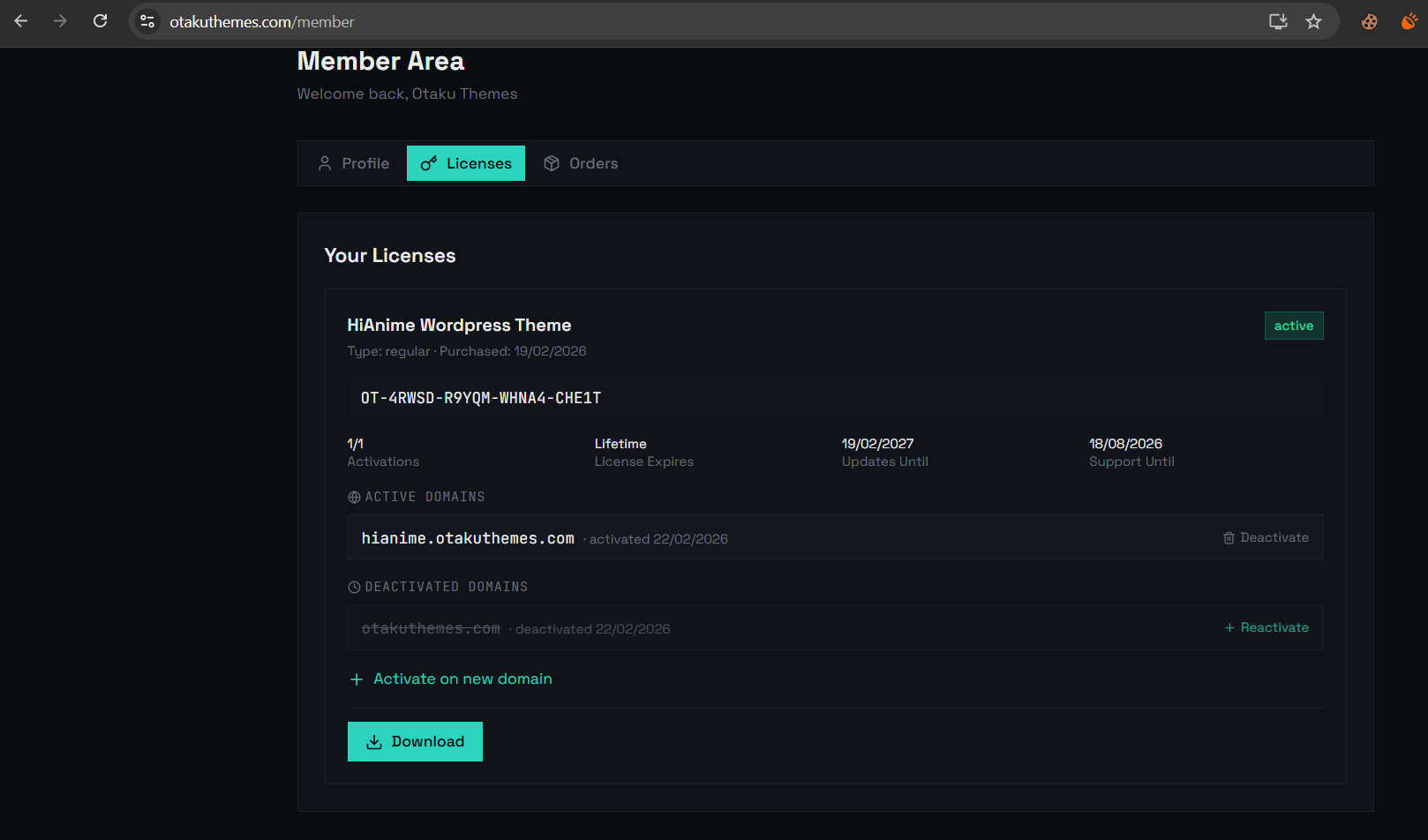 Member Area — Licenses List
- Click + Activate on new domain
- Enter your domain name (e.g.
yoursite.com) and click Activate
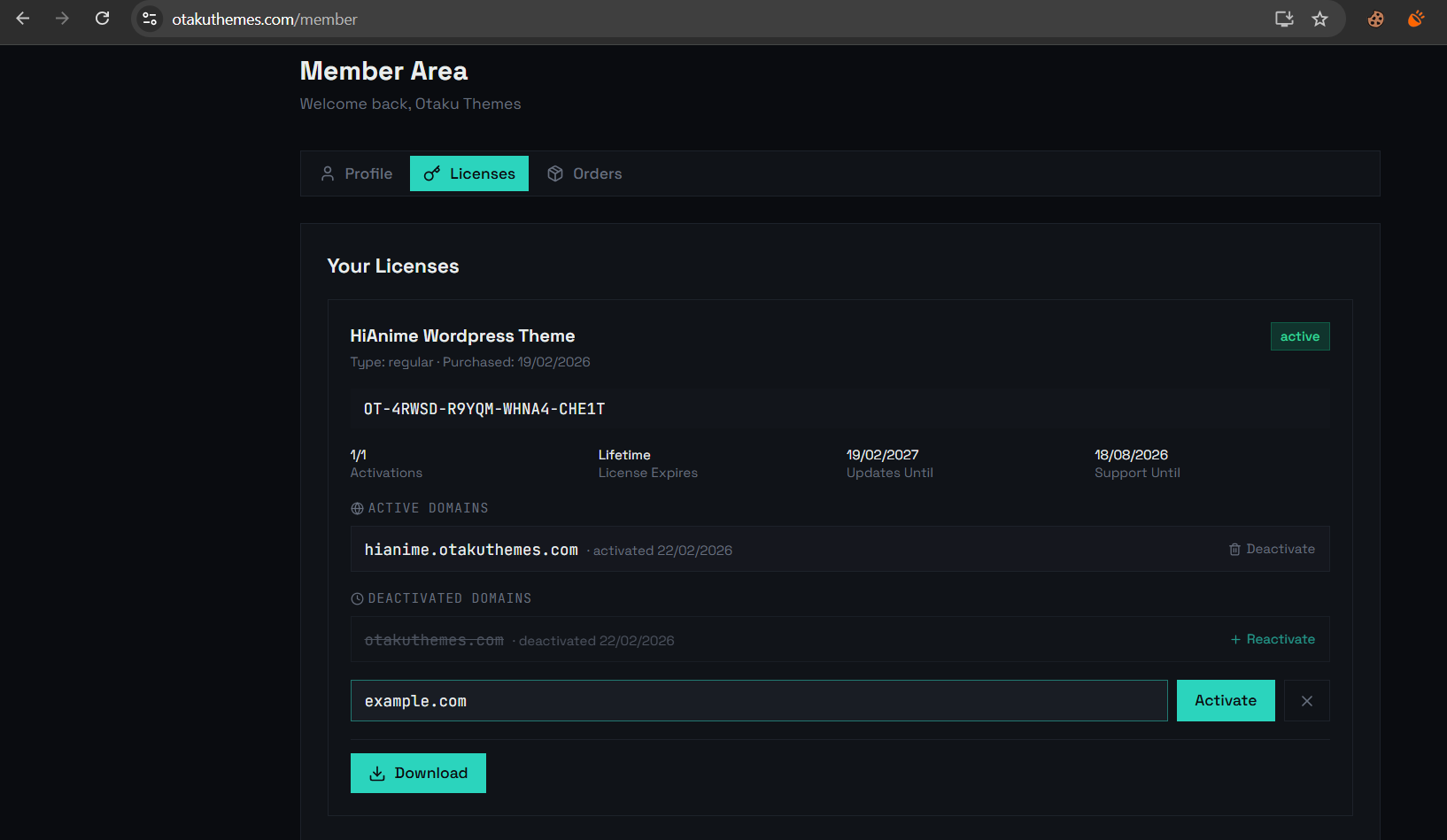 Member Area — Activate on New Domain
- Return to your WordPress admin and go to
OtakuThemes > License - The status should now show Active
Method 2 — Via Dashboard
Activate directly using your license key:
- Find your license key in the member area under your license details
- In WordPress, go to
OtakuThemes > License - Enter your license key in the input field
- Click Activate
Troubleshooting License Issues
License Shows as Inactive After Activation
- Clear all caches — Go to
OtakuThemes > Cacheand clear the cache, then also clear your browser cache and any server/CDN cache - Check your domain — Make sure the domain entered in the member area exactly matches your site's domain (without
wwwvs. withwwwmatters — use whichever your site uses) - Verify cURL — The license check uses cURL to contact
otakuthemes.com. If your server blocks outbound connections, license verification will fail. Contact your host to allow outbound HTTPS requests
Domain Limit Reached
Each license has a domain activation limit. If you've reached the limit:
- Go to the member area > Licenses
- Deactivate an old or unused domain
- Then activate your new domain
Any time you activate, deactivate, or change your license, always clear all caches afterward. The license status is cached, and stale cache can make it appear inactive even when it's not.
Your license key is found in the OtakuThemes member area under the Licenses tab, next to your HiAnime purchase.