Navigation
Configure page linking for HiAnime's built-in navigation elements
Navigation Tab
The Navigation tab lets you assign WordPress pages to HiAnime's built-in navigation destinations — so theme-generated links (e.g. "Browse All Anime", genre archive links, A-Z page links) point to the correct pages on your site.
Go to OtakuThemes > Navigation to access these settings.
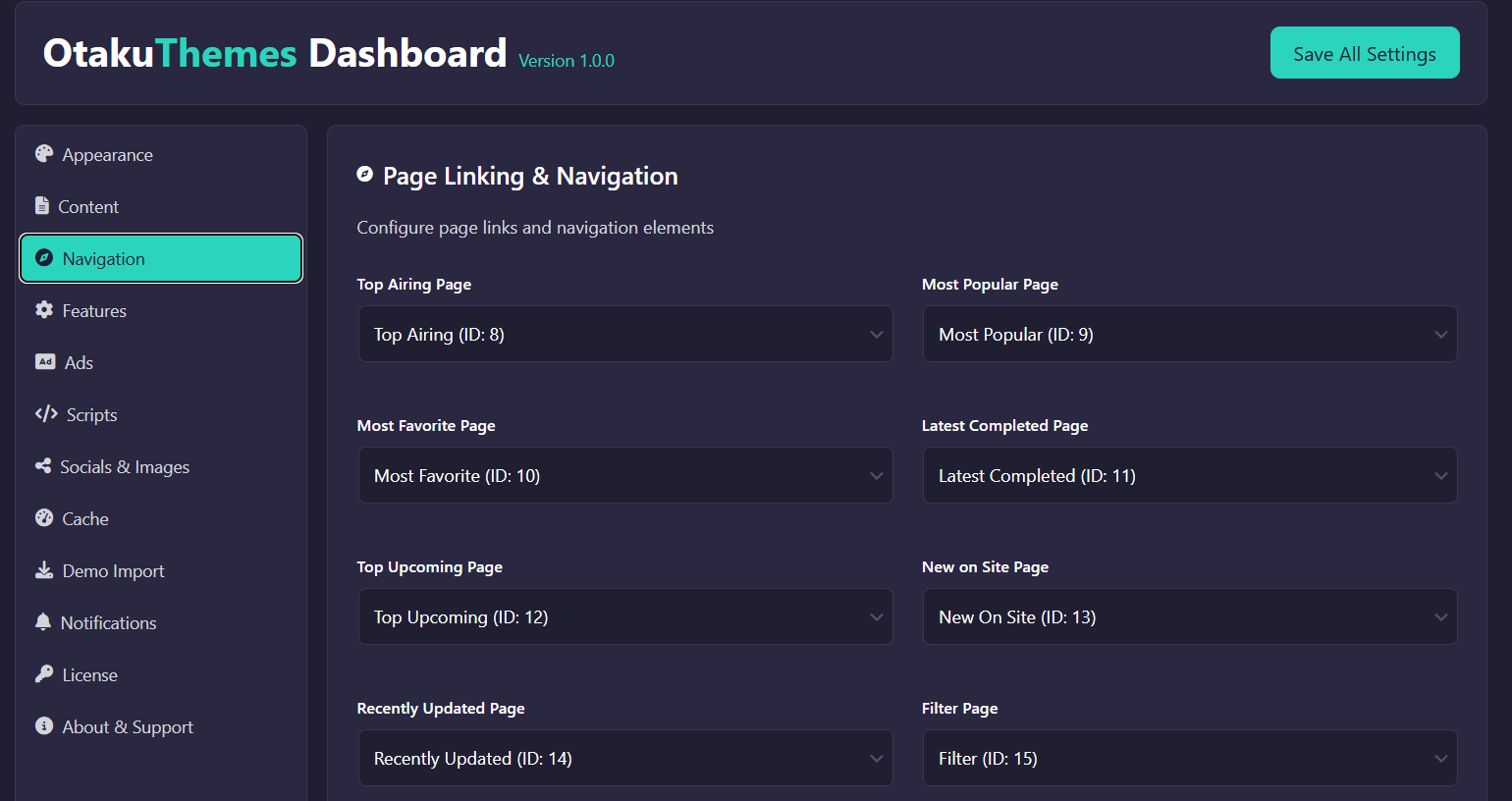 OtakuThemes Dashboard — Navigation Tab
How It Works
HiAnime generates links to specific destinations throughout the theme (header nav, footer, filter buttons, etc.). Instead of hard-coding URLs, the theme reads from this tab to know which WordPress page to link to.
For each destination, select the WordPress page you've created for that purpose from the dropdown.
Common Navigation Destinations
- Home / Front Page — Main homepage
- Anime Archive / Browse — The page that lists all anime
- A-Z Listing — An alphabetical anime index page
- Genre Archive — Genre taxonomy archive
- Schedule / Calendar — Airing schedule page
- Search Results — Search page
You must create the WordPress pages before you can assign them here. If you imported demo content, the key pages were created automatically. Check Pages > All Pages to see what's available.
Click Save after assigning pages. Clear the Cache if navigation links don't update correctly.