Appearance
Configure the visual style, colors, and branding of your HiAnime site
Updated February 22, 2026
OtakuThemes Team
Appearance Tab
The Appearance tab controls the visual style of your site — the accent color, theme variant, and overall branding look.
Go to OtakuThemes > Appearance to access these settings.
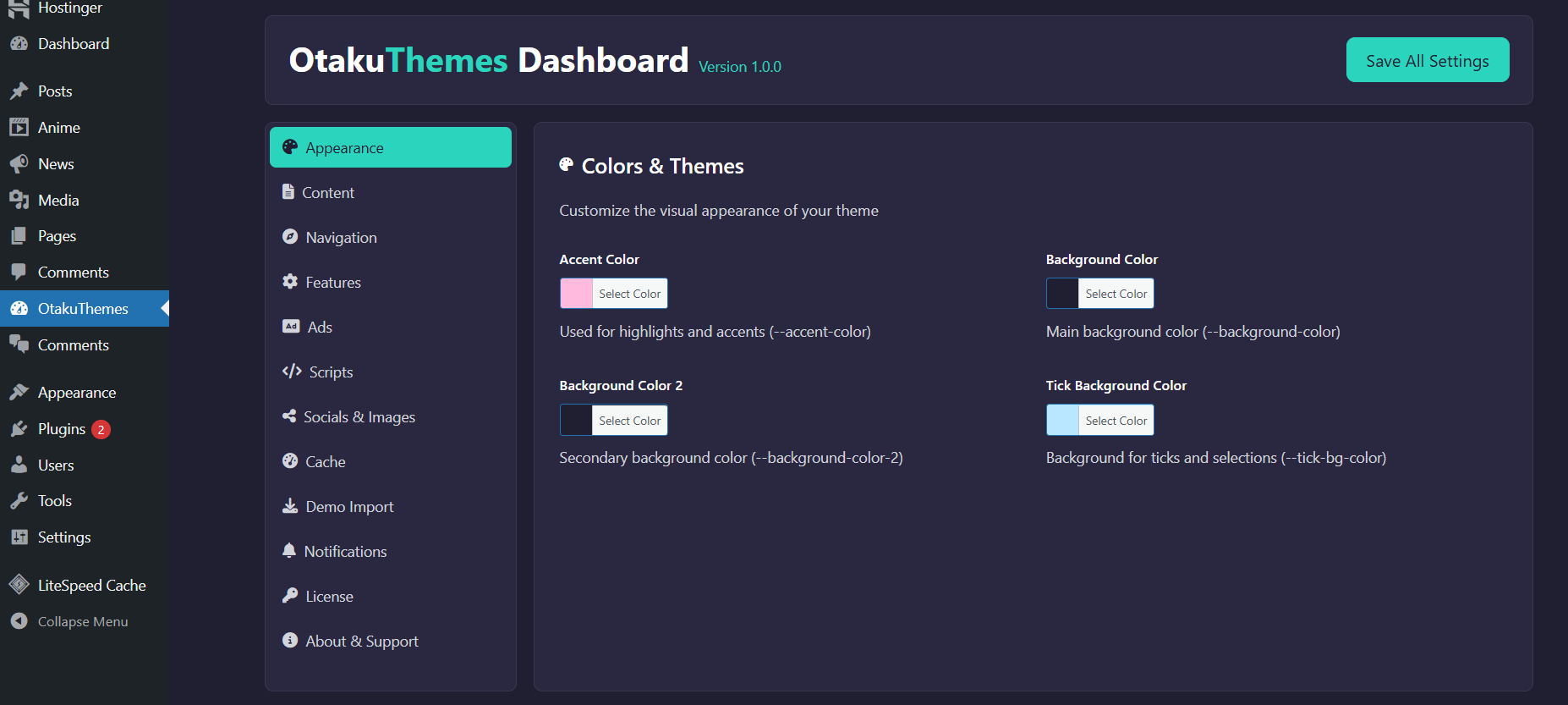 OtakuThemes Dashboard — Appearance Tab
Available Settings
Configure the following options in this tab:
- Primary Color — The accent color used for buttons, links, highlights, and active states across the site
- Theme Style — Choose between available style variants for the overall look of the site
- Branding — Options related to visual identity
Tips
What About Logo & Favicon?
The site logo and favicon are set in Appearance > Customize > Site Identity — not in this tab. See the Quick Start guide for details.
Save & Clear Cache
After changing appearance settings, click Save and then go to the Cache tab to clear the theme cache so changes take effect site-wide.